DeCube Guides Hub
From first click to core collapse — every walkthrough in one place.
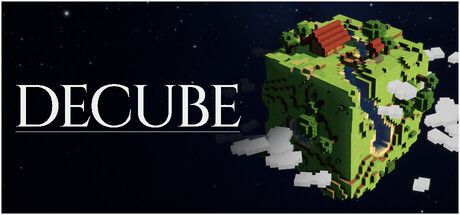
Welcome to the DeCube guides hub. This section is the practical map for BiteMe Games’ nostalgic incremental mining game: click voxel blocks on a planet, spend resources on upgrades, hire workers, dig toward the core, then collapse or clear the world and move on. Full release is scheduled for December 11, 2026 at 7PM JST on Steam for Windows, macOS, and Steam Deck, with a planned price of $5.99 and a planned 20% launch discount. Until then, the live Steam demo (worlds 1–2, roughly 45 minutes) is the best way to learn the loop, and demo progress is promised to transfer into the full game.
Use this hub when you need a starting point, a control reference, a Deck setup note, or a mining efficiency deep dive. Sibling guides cross-link so you can jump from onboarding into Fracture and crit routing without hunting the nav tree.
Start here
New players should begin with the Getting Started guide. It covers what DeCube is, why to wishlist the Steam page, how to install the demo, what a strong first session looks like, and which early upgrades matter before you drown in menus. The announcement trailer is embedded there so you can see the planet-mining fantasy before you dig.
If you already installed the demo and just want to finish worlds 1–2 cleanly, open the Demo Guide. It explains demo scope, itch versus Steam builds, save transfer expectations, collapse versus 100% clear choices, and where to send feedback so your notes actually help balance patches.
Controls, Deck, and speed
Camera and click behavior changed during playtests: continuous mining no longer forces you to hold the mouse button forever, keyboard rotation (WASD-style planet navigation) exists alongside right-click drag, and controller glyphs are tuned for Deck. Read the full Controls page before you blame “sticky” mining on a bug.
Playing on handheld? The Steam Deck guide summarizes the developer’s Verified-badge wishlist threshold note, docked versus battery performance claims, and how controller navigation is meant to work while the official badge is still pending.
When you are ready to push clear times, study How to Mine Fast. It ties Click Power, Fracture (AoE neighbor damage), crit economy, worker hire timing, water mining, meteors, and cloud blocks into one routing article, with teaser priorities that point at the Tier List Hub for longer-term rune and upgrade rankings.
New: campaign worlds and custom generator
- Campaign Worlds — how the six-planet campaign is structured, what demo worlds 1–2 teach, and how caves, ruins, and relics fit the fantasy.
- Custom World Generator — why the post-campaign sandbox matters for long-term workers, runes, and Fracture habits.
How the campaign is structured
The full game ships a campaign of six unique worlds plus a custom world generator for players who want endless planets after the story arc. The demo intentionally stops after worlds 1–2 so newcomers can taste caves, ruins, relics, worker automation, and the collapse decision without a multi-hour commitment. Treat the demo as a transferrable prologue, not throwaway content: upgrades, runes, and habits you learn early still matter when the remaining worlds unlock on launch day.
Core mechanical vocabulary you will see across every guide:
- Click Power — how hard each of your personal digs hits.
- Fracture — splash damage that cracks neighboring blocks so wide surfaces melt faster.
- Crits — spike hits that reshape your upgrade curve when stacked with sound cues and runes.
- Workers — hired diggers that keep mining while you aim Fracture or rotate for better angles.
- Runes — meta upgrades that can raise worker caps, shift collapse thresholds, and boost crit-related stats; respec rules matter (recent demo notes warn that respeccing no longer refunds workers above 15).
- Water, meteors, cloud blocks — special terrain and events that change where you aim and when you wait.
Recommended reading order
- Getting Started — install, wishlist, first session.
- Controls — mouse, keyboard, controller, hold-versus-toggle mining.
- Demo Guide — finish worlds 1–2 without wasting runs.
- How to Mine Fast — Fracture, crits, workers, event blocks.
- Steam Deck — handheld setup and wishlist support for Verified.
- Campaign Worlds — six-world structure and demo prologue.
- Custom World Generator — endless planets after the campaign.
- Tier List Hub — longer ranking pages as the meta settles.
- Updates Hub — demo-out-now notes, changelogs, and roadmap.
Related hubs on this wiki
Guides answer how. For rankings and patch history, pair this hub with the Tier List Hub and the Updates Hub. Official store links and community destinations live under the Links Hub. Keep facts consistent with the Steam page: single-player only, controller support, nostalgic voxel mining, and a demo that is meant to stay up after launch as a true try-before-you-buy slice.
If a page seems thin after a balance patch, check Updates first, then return here — mining guides are rewritten when Click Power, Fracture, or rune respec rules change enough to invalidate old routes.
Frequently Asked Questions
Quick answers to the most common DeCube questions.
Which DeCube guide should I read first?
Start with Getting Started for install and first-session goals, then Controls if the camera or click toggle feels odd, then the Demo Guide before you grind worlds 1–2 for transfer.
Does the Steam demo progress transfer to the full game?
Yes — BiteMe Games states Steam demo progress carries into the December 11, 2026 full release, with a first-launch prompt expected so you do not redo the opening worlds.
Is DeCube multiplayer or co-op?
No. DeCube is a single-player incremental mining game. Guides on this hub focus on personal upgrades, workers, and world completion — not party or PvP systems.
Where do I find upgrade rankings?
Use How to Mine Fast for early routing, then the Tier List Hub for longer-term Click Power, Fracture, worker, and rune priorities as patches land.