DeCube Wishlist & Launch Checklist
Wishlist, demo, Discord, and Dec 11 reminders in one list.
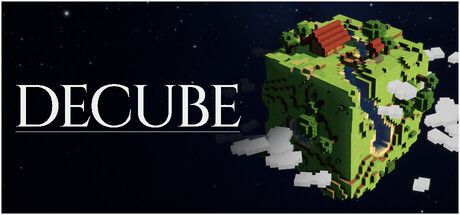
Use this checklist to prepare for DeCube by BiteMe Games without missing the Steam launch window. The full game unlocks December 11, 2026 at $5.99 with a 20% launch discount planned. A free Steam demo (worlds 1–2, ~45 minutes) is already live, and demo progress transfers into the release build. Follow the steps in order if you are brand new; skip ahead if you only need a launch-day reminder.
Official store: DeCube on Steam.
1. Wishlist on Steam
- Open the DeCube Steam page.
- Sign into the Steam account you will use on launch day.
- Click Add to your Wishlist.
- Confirm Steam notifications (client + mobile app if you use it) so you see the release unlock.
- Optional: follow BiteMe Games on Steam for studio news beyond this title.
Wishlisting does not buy the game—it queues visibility and email/client alerts. Doing this early also helps indie visibility during the demo period.
2. Install the Steam demo
- On the same store page, locate the Download DeCube Demo section.
- Install through Steam and verify the demo appears in your library.
- Play worlds 1–2 (~45 minutes of content) and experiment with Click Power, Fracture, Crit, Workers, and Runes.
- Remember: saves transfer to the full game—treat the demo as the start of your real campaign, not a disposable toy.
Hardware unsure? Read System Requirements before long AFK sessions. New to the loop? Open Getting Started and Upgrade Priority.
3. (Optional) Try the itch playtest build
Some players first found DeCube via the itch.io playtest: bitemegames.itch.io/decube. Steam demo is the primary path for save transfer into the December release. Use itch if you are curious about older playtest context, but keep your Steam demo save as the canonical progress file for launch.
4. Join official community channels
- Discord: discord.gg/biteme-games — patch chatter, feedback, launch hype.
- X: @BitemeGames
- YouTube: @bitemesgames / related BiteMe channels for trailers and dev talk.
Mute channels as needed, but stay available for sudden demo hotfixes (mid-November 2026 already brought meteor targeting, crit audio, worker spread, rune respec rules, Steam Deck tooltips, and water mining fixes—see Demo Changelog).
5. Set a December 11, 2026 launch reminder
Pick at least one reminder method:
- Steam wishlist notification (primary).
- Phone calendar alert for December 11, 2026 (full release; Famitsu and store materials reference evening JST timing—confirm your local Steam unlock clock on the store page).
- Discord event or personal alarm if you want to buy during the planned 20% launch discount window.
Do not rely on memory alone if you care about the launch discount—those windows can be easy to miss during a busy week.
6. Price and purchase tips
| Item | Detail |
|---|---|
| Base price | $5.99 USD |
| Launch discount | 20% planned |
| Platforms | Steam Windows & macOS (Deck via Steam) |
| Mode | Single-player |
| Languages | 15 UI languages |
Tips:
- Confirm the discount badge on the store page at unlock—planned promotions can have regional nuances.
- If you loved the demo, buying at launch supports BiteMe Games while the price is still low.
- Family Sharing is listed among Steam features—useful in households, but still wishlist on the account that will own the license.
- Refunds follow normal Steam policy; finishing the demo first is the best “try before you buy.”
7. Prep your upgrade plan before launch day
A ready player enters December 11 knowing:
- Click Power / Fracture / Crit priorities from Upgrade Priority.
- Hire pacing from Workers.
- Rune order (crit/economy/AoE/caps over collapse-for-completionists) from Runes.
- What the full game adds (six worlds + custom generator) from Release Roadmap.
That preparation turns the launch discount into more playtime, not a confused second tutorial.
8. Launch-day micro checklist
- Steam client updated
- Wishlist notification received / store page shows unlock
- Demo save backed up mentally (know which machine holds it)
- Full game purchased (watch for 20% launch discount)
- Verify cloud/local save after first full-game boot
- Skim latest notes on Updates Hub
- Controller or Deck layout tested if that is your setup
- Discord quick scan for hotfixes
9. Share the checklist
Sending friends into DeCube cold wastes their first hour. Share this page plus System Requirements and the Links Hub. The game’s cozy incremental fantasy lands better when people are not stuck on install or pricing questions.
10. After purchase—what not to forget
- Revisit rune respec rules if you experiment (workers over 15 may not refund on respec).
- Keep an eye on custom world generator features once unlocked—requirements stay the same, but denser custom planets may change how AoE and workers feel.
- Bookmark this wiki’s Tier List Hub for post-launch balance shifts.
Related tools and guides
- Tools Hub — all utility pages
- System Requirements — Win/Mac/Deck tables
- Release Roadmap — announcement → demo → launch timeline
- Demo Changelog — recent fixes
- Official Links — Steam, Discord, itch, YouTube, X
Complete the wishlist and demo steps today. Set the December 11 reminder once. When Steam unlocks DeCube, you should only need to click Buy, confirm the launch discount, and keep digging toward the core.
Frequently Asked Questions
Quick answers to the most common DeCube questions.
When does DeCube launch?
December 11, 2026 on Steam. Wishlist now so you receive unlock notifications.
How much will DeCube cost?
$5.99 USD with a planned 20% launch discount. Confirm the live badge on the Steam page at unlock.
Does the demo progress transfer?
Yes. The Steam demo covers worlds 1–2 (~45 minutes) and saves transfer into the full game.
Which Discord should I join?
The official BiteMe Games Discord: https://discord.gg/biteme-games
What should I do after wishlisting?
Install the demo, review Upgrade Priority, and set a December 11 reminder so you do not miss the launch discount window.