How to Mine Fast in DeCube
Fracture, crits, workers, runes, meteors, and cloud blocks — routed for shorter clears.
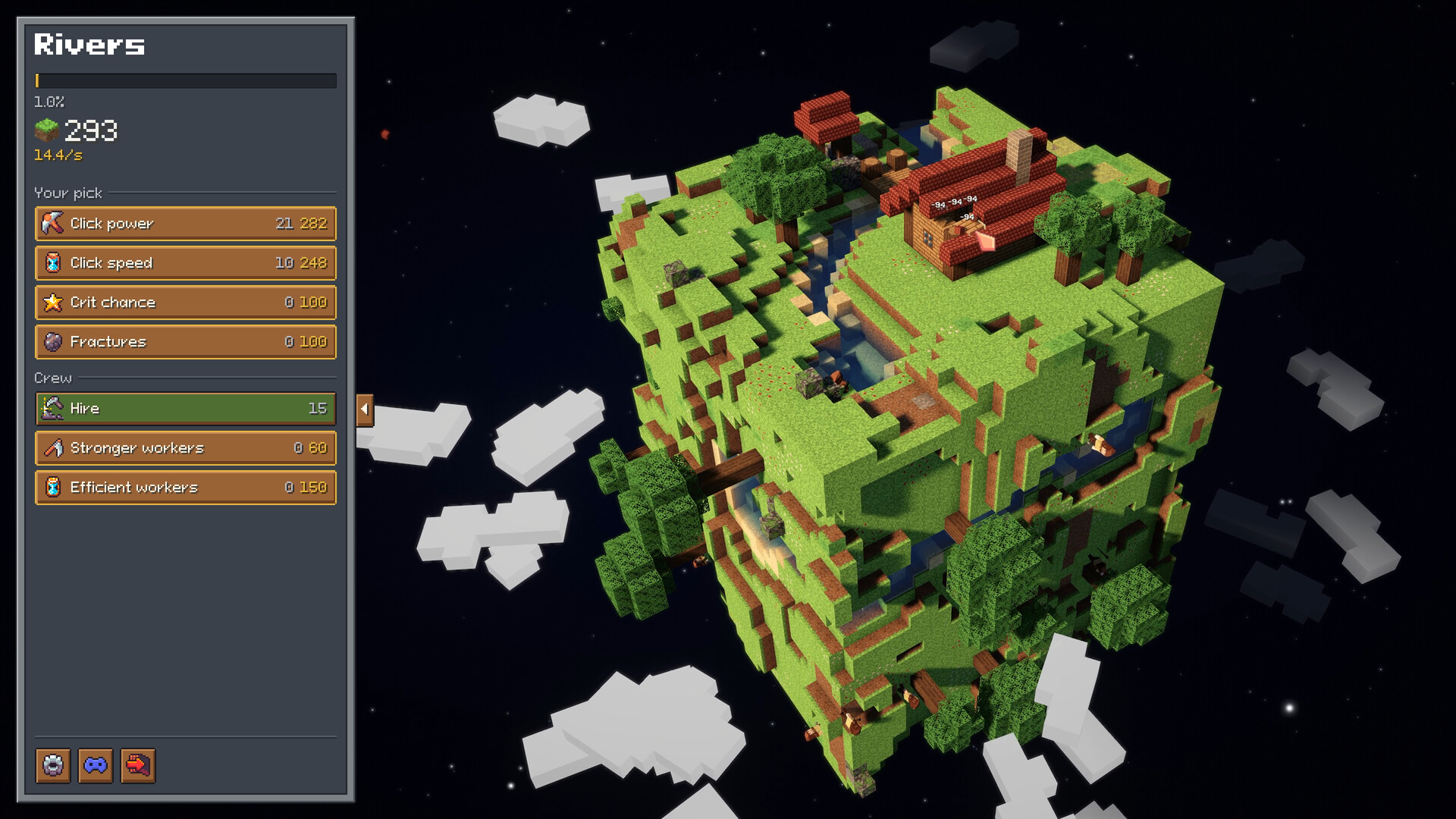
Speed in DeCube is not raw click spam. Fast clears come from stacking Click Power, timing Fracture so neighbor splash deletes plateaus, feeding a healthy crit economy, hiring workers at the right inflection point, and spending runes on caps and thresholds that match your collapse style. Special layers — water, meteors, cloud blocks — punish tunnel vision. This guide turns those systems into a practical route you can use in the Steam demo (worlds 1–2) and carry into the six-world campaign after December 11, 2026.
New to the game? Read Getting Started and fix inputs in Controls before you optimize. Demo transfer rules live in the Demo Guide.
The speed hierarchy
Think in layers:
- Camera literacy — if you cannot see the wide face, Fracture is wasted.
- Click Power — personal dig strength gates everything.
- Fracture — AoE neighbor damage that turns squares of voxels into chain breaks.
- Crits — spike damage that multiplies both manual digs and splash value.
- Workers — parallel diggers that keep pressure while you aim and buy.
- Runes — meta levers (worker cap, collapse threshold, crit bonuses) that change the run, not just the minute.
- Event blocks — water, meteors, clouds that rearrange where the efficient face is.
Skipping straight to workers while Click Power is tiny feels busy and slow. Skipping Fracture while staring at flat biomes is the most common mid-demo mistake.
Fracture synergy
Fracture is the star of fast mining. Each point of splash value matters more when:
- You rotate to expose large connected surfaces instead of digging random pits.
- Your Click Power is high enough that cracked neighbors actually break instead of sitting scratched.
- Crits are landing often enough that splash bursts crit too.
Practical Fracture habits:
- Zoom out, pick the fattest face, then dig the center so neighbors share damage.
- After a meteor pass, re-evaluate the new silhouette — seeking meteors (post-hotfix) reshape the planet for you.
- Do not dump every resource into Fracture while Click Power is still tickling blocks; splash on marshmallow hits underperforms.
When Fracture and Click Power climb together, whole shelves vanish between worker ticks. That is the “fast” feeling DeCube is selling.
Crit economy
Crits are not flavor. They are tempo. Demo patches even clarified critical hit sounds so you can hear value without staring at every particle. Build crit chance and crit power once Fracture is online, then listen: if crits are rare, you over-invested elsewhere; if every hit sings but plateaus remain, you need more Fracture or better camera angles.
Crits also interact with runes that boost crit-related stats. Treat those runes as multipliers on an engine you already built, not as a replacement for Click Power. A crit build with weak base digs still clears slowly — it just clears slowly with louder audio.
When to hire workers
Workers are force multipliers, not a first purchase.
Hire sooner when:
- Your manual dig already breaks common blocks in one or two hits.
- Fracture is unlocked so workers and splash share the same planet.
- You are about to rotate away from a face and want continuous progress.
Hire later when:
- Click Power upgrades are still cheap and transformative.
- You are one buy away from a Fracture breakpoint.
- You are near a rune respec experiment — remember the demo rule that respeccing runes no longer refunds workers over 15. Crossing that line means extras may not come back as refund value.
Early demo patches also improved worker spawn spread on new planets. If your crew still clumps, rotate and give them time; do not assume you must micro every digger. Speed comes from coverage, not babysitting.
Rune priorities (teaser)
Exact tier orders shift with patches, so keep the Tier List Hub bookmarked for living rankings. As a routing teaser while the meta settles:
- Worker cap runes — strong once hiring is clearly your bottleneck and you understand the respec refund caveat.
- Collapse threshold runes — excellent if you prefer advance-and-learn pacing over 100% clears; less urgent if you enjoy full clears for relics and practice.
- Crit bonus runes — shine after base crit chance/power exist in the normal upgrade tree.
- Avoid spending meta currency on novelty until you have finished at least one dig-to-core cycle with a coherent Click Power → Fracture → workers story.
Respec exists, but it is not a full soft reset for oversized crews. Plan caps with the refund rule in mind.
Water mining tips
Water pockets used to soft-lock some digs; a demo hotfix addressed water that became unminable. Fast routing still means:
- Zoom in and isolate water voxels instead of Fracture-spamming blindly from orbit.
- Clear a dry “shelf” beside the water so workers have somewhere useful to stand.
- If water still refuses interaction after the fix patch, capture a short clip and report it — do not restart the whole demo save immediately.
Water is a precision tax, not a reason to abandon Fracture entirely.
Meteor tips
Meteors now actively seek blocks after a demo update. That turns them from random fireworks into tempo tools:
- Watch impact corridors; they open new faces for Fracture.
- Avoid standing your mental plan on a wall about to be deleted by a seeker strike.
- Use the chaos: meteors can finish awkward protrusions while you shop upgrades.
If an older guide or video shows passive meteors, ignore it — seeking behavior is the current speed tech.
Cloud block tips
Cloud layers punish lazy cameras. They often sit where zoomed-out Fracture feels good but precision fails.
- Zoom in, chip the awkward voxels, zoom out, resume splash routing.
- Do not empty your upgrade bank chasing one cloud cluster while the rest of the planet is soft.
- Workers help here if spawn spread is healthy; let them nibble while you handle the fiddly center.
Clouds are why the Controls zoom advice exists — speed players zoom constantly.
Example pace for a demo world
- Minutes 0–5: Click Power focus, learn toggle mining, rotate often.
- Minutes 5–15: Unlock and feed Fracture; take first crit upgrades; hire a tiny crew.
- Mid-world: Spend on the breakpoint that makes shelves vanish; peek at runes only for clear bottlenecks.
- Specialty layers: slow down for water/clouds; let seeking meteors open faces.
- End: choose collapse for tempo or 100% clear for mastery — see the Demo Guide.
Repeat on world 2 with less tutorial overhead. That two-world loop is what transfers into the full six-world campaign and custom generator.
Common speed killers
- Holding mine when toggle would free your hands for camera and menus.
- Buying workers before Click Power breakpoints.
- Ignoring Fracture on flat biomes.
- Respeccing runes after hiring past the refund-friendly worker count.
- Tunneling one crater instead of exposing wide faces.
- Fighting water/clouds from maximum zoom-out forever.
Keep the route fresh
Balance patches will move numbers. After each Steam news drop — meteor seeking, worker spread, crit audio, water fixes, Deck tooltips — reread this page’s principles and check Updates plus the Tier List Hub for revised ranks. The Guides Hub remains the index if you need Steam Deck comfort or onboarding again.
Mine fast by making every system talk to the others: Click Power feeds Fracture, Fracture feeds crit value, workers cover the angles you are not looking at, runes raise the ceiling, and event blocks tell you when to zoom. That stack, not frantic clicking, is how DeCube planets disappear.
Frequently Asked Questions
Quick answers to the most common DeCube questions.
What should I upgrade first to mine faster?
Raise Click Power until digs feel decisive, then invest in Fracture for neighbor splash. Add crits once splash is online, and hire workers only after your personal dig is already strong.
When should I hire workers in DeCube?
After Click Power and Fracture make common blocks break quickly. Remember rune respecs no longer refund workers over 15, so oversized crews are sticky.
Do meteors help clear speed?
Yes. After the demo hotfix, meteors actively seek blocks, opening new faces you can Fracture. Treat them as tempo tools, not background VFX.
Where are detailed rune rankings?
Use this page for early priorities, then the Tier List Hub for living S–F style rankings as patches land.
Why am I slow even with high Click Power?
Usually weak Fracture angles, poor camera rotation, neglected crits, or fighting water/cloud blocks without zooming in. Fix positioning before buying more raw power.