DeCube on Steam Deck
Controller glyphs, docked or battery play, and how wishlists relate to Verified.
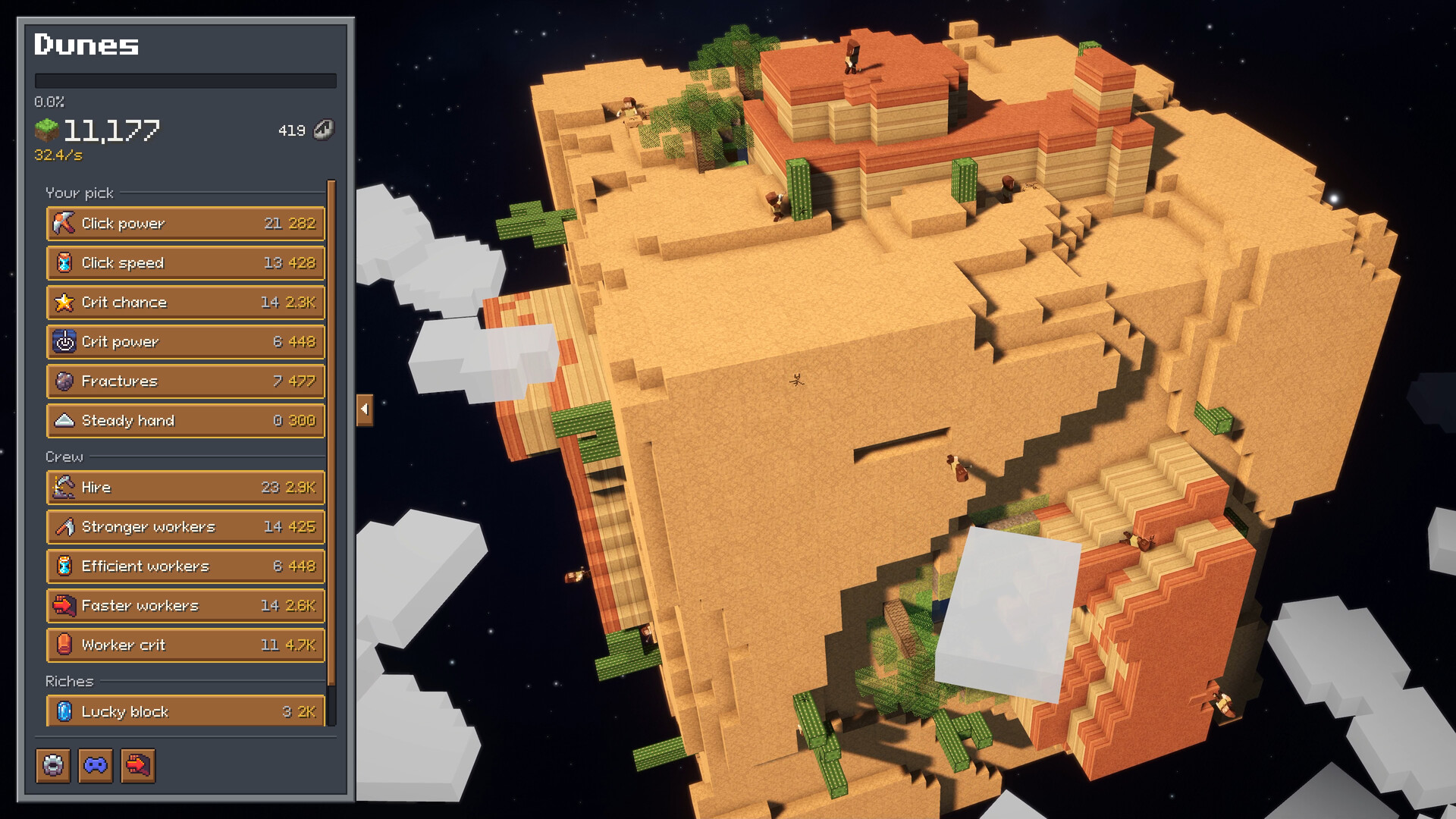
DeCube is pitched as a cozy incremental you can dig on the couch or on a long flight — which makes Steam Deck a natural fit. BiteMe Games has publicly committed to full Deck support and optimization even while the official Steam Deck Verified badge may still read as pending. This guide collects those claims, explains the wishlist threshold note, and covers docked versus battery play plus controller navigation so your handheld sessions match what the Controls page describes on desktop.
What the developer guarantees
In the official Steam community post on Deck support, the studio says DeCube was developed with full support and optimization for Steam Deck. Specifically called out:
- The game is fully navigable with a controller.
- Correct glyphs appear for prompts (not leftover keyboard-only hints).
- Performance holds in both docked mode and on battery.
That personal guarantee matters because Valve’s compatibility badge is a separate process from “does it play well.” Until the badge flips, treat the developer post plus your own short test session as the truth source.
Verified badge and the wishlist threshold
Steam Deck Verified is not only a technical checklist. The developer noted that Steam’s own Verified review often waits until a game hits roughly more than 20,000 wishlists or a certain revenue threshold before validation proceeds. DeCube can already be Deck-friendly in practice while the store still shows an unknown or unevaluated compatibility state.
If you enjoy the demo on Deck, wishlist the full game on Steam app 5478190. Wishlisting helps notification for the December 11, 2026 7PM JST launch and, per the studio, helps push the title toward the official badge review queue. It is one of the few player actions that simultaneously helps you and the Deck verification pipeline.
Install the right build
Play the Steam demo, not an old itch playtest download, when you are on Deck. The Steam branch is where controller layouts, tooltip polish, and transfer promises live. Demo hotfixes already include improved tooltips for Steam Deck, which is a strong signal that handheld UX is under active care.
Steps:
- Wishlist DeCube on Steam.
- Install DeCube Demo in Gaming Mode.
- Launch once with the default Steam Input layout.
- Confirm glyphs match your Deck controls before you dig for thirty minutes.
- Optionally test the same save docked to a display if you use a hub.
Progress from the Steam demo is intended to transfer into the full release — details in the Demo Guide.
Docked versus battery sessions
Docked: Prefer docked when you want a larger view for Fracture planning, water pockets, and cloud layers. External display clarity makes neighbor-splash routing easier, and you can keep the Deck charged while grinding world 2.
Battery: DeCube’s light footprint (Steam lists on the order of hundreds of MB of storage and modest GPU targets on desktop) is a good match for handheld idle sessions. Lower brightness, avoid unnecessary TDP spikes, and lean on toggle-style mining so you are not holding a trigger across an entire planet. The developer’s performance claim covers battery play; still, short thermal checks on your own Deck unit are wise after big patches.
Either mode should remain single-player cozy mining — there is no co-op layer to configure.
Controller navigation habits that help
- Mine toggle over hold. Playtest-driven input changes reduce mandatory hold-to-mine; use that on Deck so your index finger survives world 2.
- Orbit often. Stick-based camera orbit replaces right-click drag; keep scanning for unmined faces instead of tunneling one side forever.
- Zoom deliberately. Zoom in for water and awkward voxels; zoom out before spending Fracture-oriented upgrades so you see the full plateau.
- Open upgrades without dropping the camera plan. Controller UI should reach Click Power, Fracture, workers, and runes without a virtual mouse. If a screen still requires cursor emulation, note it for feedback.
- Read Deck tooltips. Recent patches explicitly improved them — take the extra second when a rune mentions worker caps or collapse thresholds.
Full binding philosophy and desktop equivalents live in Controls.
Comfort and accessibility on handheld
Incremental games invite long sessions. On Deck:
- Take collapse breaks as natural pause points.
- Keep text scale readable even if it shrinks the fancy planet view.
- Use headphones for crit audio cues — demo patches made critical hit sounds clearer, which helps when you cannot stare at particles.
- If gyro or trackpads fight your aim, simplify to sticks-only until muscle memory lands.
How Deck play ties into progression guides
Handheld does not change the upgrade order of ideas: Click Power → Fracture → crits → workers → thoughtful runes. It only changes how comfortably you execute camera work. After you finish a Deck session of worlds 1–2, graduate to How to Mine Fast for routing and the Tier List Hub for longer rankings. Patch notes that mention Deck tooltips, worker spread, or meteor seeking appear under Updates.
Quick Deck checklist
- Wishlist full game; install Steam demo.
- Verify controller glyphs on first launch.
- Test toggle mining so holds are optional.
- Play ten minutes on battery and ten docked.
- Finish or collapse world 1 with transfer in mind.
- Send specific Deck feedback via Steam Discussions or Discord if glyphs or soft-locks appear.
DeCube’s Deck story is straightforward: the studio built for handheld first-class controls, Valve’s Verified badge may lag on wishlist gates, and your wishlist plus a clean demo run are the best player-side moves. Dig cozy, rotate often, and keep the Guides Hub bookmarked for the next patch.
Frequently Asked Questions
Quick answers to the most common DeCube questions.
Is DeCube Steam Deck Verified?
The developer claims full Deck support and optimization with correct glyphs, but Valve’s official Verified badge may wait on wishlist or revenue thresholds (about 20k wishlists was cited). Wishlisting helps that process.
Does DeCube run well on battery?
BiteMe Games states the game runs performant on battery as well as docked. Still verify thermals and brightness on your own Deck after major demo updates.
Should I use the itch build on Steam Deck?
No. Use the Steam demo for controller layouts, Deck tooltip fixes, and the official progress transfer path into the full game.
What is the best Deck tip for long digs?
Use toggle-style mining instead of holding a trigger, orbit the planet often, and zoom out before Fracture-heavy clears so neighbor splash is aimed well.