Getting Started with DeCube
Wishlist, install the demo, survive the first planet, and set upgrades that transfer.
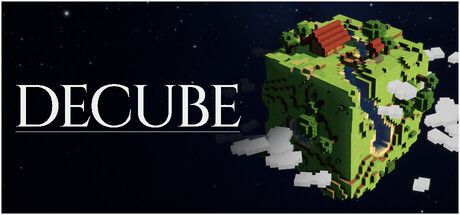
DeCube is a nostalgic incremental / idle mining game from BiteMe Games, an indie studio with roots in Belgium and Japan. You dig voxel blocks on a planet, earn resources, buy upgrades, hire workers, and push toward the core until you collapse the world or clear it fully — then travel onward. Think Cookie Clicker pacing wrapped in a Minecraft-inspired planet you can literally deconstruct. The game is single-player, supports controllers, and targets Windows, macOS, and Steam Deck on Steam (app 5478190).
Full release is set for December 11, 2026 at 7PM JST. Planned price is $5.99 with a planned 20% launch discount. A Steam demo is live now covering worlds 1–2 (about 45 minutes), and the studio promises demo progress will transfer into the full campaign of six unique worlds plus a custom world generator. This getting-started guide walks you from wishlist to a confident first hour so your transferred save is not a mess of wasted early spends.
Wishlist and install the demo
- Open the Steam store page for DeCube and hit Wishlist. Wishlisting notifies you of launch and helps the studio toward Steam Deck Verified review thresholds (the developer has said Valve’s badge process often waits on wishlist/revenue gates even when Deck support is already solid).
- Download the DeCube Demo from Steam. Prefer Steam over older itch playtest builds so Deck play, cloud saves, and the official transfer path stay consistent.
- Launch once, confirm language (the interface supports many locales), and glance at controller prompts if you use a pad.
If you already played an itch playtest, treat the Steam demo as the canonical build: it received balance, worldgen, and QoL overhauls before going live. Keep notes, but expect numbers and click behavior to differ.
What the core loop feels like
Your first minutes are deliberately simple. Point at a surface block and mine. Resources bank. Open the upgrade panel and spend on Click Power so each dig hurts more. As the surface opens, Fracture starts mattering — AoE damage that cracks neighboring blocks so wide plateaus disappear in bursts instead of one-by-one chores. Crits appear as spike hits; listen for clearer crit audio cues added in early demo patches. When manual clicking slows you down, hire Workers so the planet keeps shrinking while you rotate for better angles or chase special blocks.
Longer term you unlock Runes — meta upgrades that can raise worker caps, change collapse thresholds, and amplify crit-related bonuses. Special content such as water mining, meteors, and cloud blocks breaks the “always dig the nearest cube” habit. You do not need to master every system on day one; you only need a clean first session that teaches the vocabulary.
First session checklist (world 1)
Treat the opening world as a tutorial that still counts for transfer:
- Learn camera and click modes — right-click or keyboard rotate, zoom in for precision, zoom out for Fracture planning. Continuous mining can follow a toggle-style click instead of a permanent hold; details live in the Controls guide.
- Buy Click Power early — raw dig strength makes every later upgrade feel better and shortens the awkward “tap forever” phase.
- Pick up Fracture when surfaces widen — once you see large connected faces, splash damage outpaces pure single-target spam.
- Hire the first workers only after your personal dig is not pathetic — workers amplify a foundation; they do not replace one. Recent notes also warn that rune respecs no longer refund workers above 15, so do not treat hiring as freely reversible forever.
- Notice special blocks — water, meteor impacts, and cloud layers are teaching moments for aiming and waiting, not just visual flair.
- Decide collapse versus 100% clear — collapsing advances when the threshold is met; full clears teach geometry and often feel better for learning. The Demo Guide compares both for worlds 1–2.
Aim to finish world 1 understanding why you spent resources, not just that the next button glowed.
Early upgrade priorities
Exact numbers shift with patches, but the order of ideas stays stable:
- Click Power first until each click feels decisive.
- Fracture next whenever neighbor cracks visibly accelerate clears.
- Crit chance / crit power once Fracture is online and you hear crits regularly.
- Workers when you can afford a small crew without bankrupting Click Power growth.
- Rune investments that raise worker caps or smooth collapse thresholds only after you understand one full dig-to-core cycle.
For a deeper efficiency route — including meteor seeking behavior and cloud tips — read How to Mine Fast. For longer rankings as the community settles, browse the Tier List Hub.
Platforms and comfort settings
DeCube is built as a cozy session game: couch, flight, or desk. Controller support is first-class, and the developer optimized for Steam Deck in both docked and battery play. If you primarily play handheld, skim the Steam Deck page after this one so glyph prompts and performance expectations match what you see.
Minimum PC targets on the Steam page sit around Windows 10, an Intel i5-9600K class CPU, 8 GB RAM, and a GTX 1660-class GPU with roughly 400 MB storage — light for a modern library, which is why Deck optimization is such a focus.
After the demo
When the full game unlocks, expect a first-launch prompt for demo transfer, then worlds 3–6 plus the custom generator. Keep this wiki bookmarked: the Guides Hub indexes every walkthrough, Updates tracks patch notes (meteors seeking blocks, worker spread, water mining fixes, Deck tooltip polish), and the Links Hub points at official Steam and community channels.
You do not need perfect rune theory on day one. You need a wishlist, a Steam demo install, a first planet that teaches Click Power → Fracture → workers, and a habit of reading patch notes before you respec. Do that, and your December 11 save starts ahead instead of stuck relearning the mouse.
Next links
- Controls — mouse, keyboard, controller, hold vs toggle mining.
- Demo Guide — finish worlds 1–2 efficiently with transfer in mind.
- How to Mine Fast — Fracture synergy and crit economy.
- Steam Deck — handheld claims and Verified wishlist note.
- Tier List Hub — upgrade and rune ranking pages as they grow.
Frequently Asked Questions
Quick answers to the most common DeCube questions.
When does DeCube release and how much will it cost?
Full release is planned for December 11, 2026 at 7PM JST on Steam. Planned price is $5.99 with a planned 20% launch discount. Always confirm the final store price on Steam at checkout.
Should I play the itch playtest or the Steam demo?
Prefer the Steam demo. It is the overhauled, transfer-supported build with Deck play and official progress carryover into the full game.
What should I upgrade first in DeCube?
Raise Click Power until digs feel strong, add Fracture when surfaces widen, then layer crits and a small worker crew. Delay heavy rune spends until you finish one dig-to-core cycle.
Is there co-op in DeCube?
No. DeCube is single-player. Workers are AI diggers you hire, not other players.
Where is the announcement trailer?
The official DeCube announcement trailer (YouTube ID cs_h2qrG9MY) is embedded mid-page on this Getting Started guide.